Main problem
Who is absent? Nobody knows for sure.
Teams often see too late who is on vacation, sick or otherwise absent at the same time. Cover is organized at short notice and decisions are based on incomplete information.

Absence planner
Submit vacation requests digitally, include approvers automatically and always see who is available when.
When vacation planning becomes extra work
In many companies, vacation requests still run through informal messages, email, Excel or individual people. That works somehow until several employees are absent at the same time, cover is unclear or nobody knows whether a request has already been approved.
Main problem
Teams often see too late who is on vacation, sick or otherwise absent at the same time. Cover is organized at short notice and decisions are based on incomplete information.
Who submitted a request? Who has to approve it? What has already been approved?
Shortly before an absence begins, teams notice that important tasks have not been handed over clearly.
Manage requests
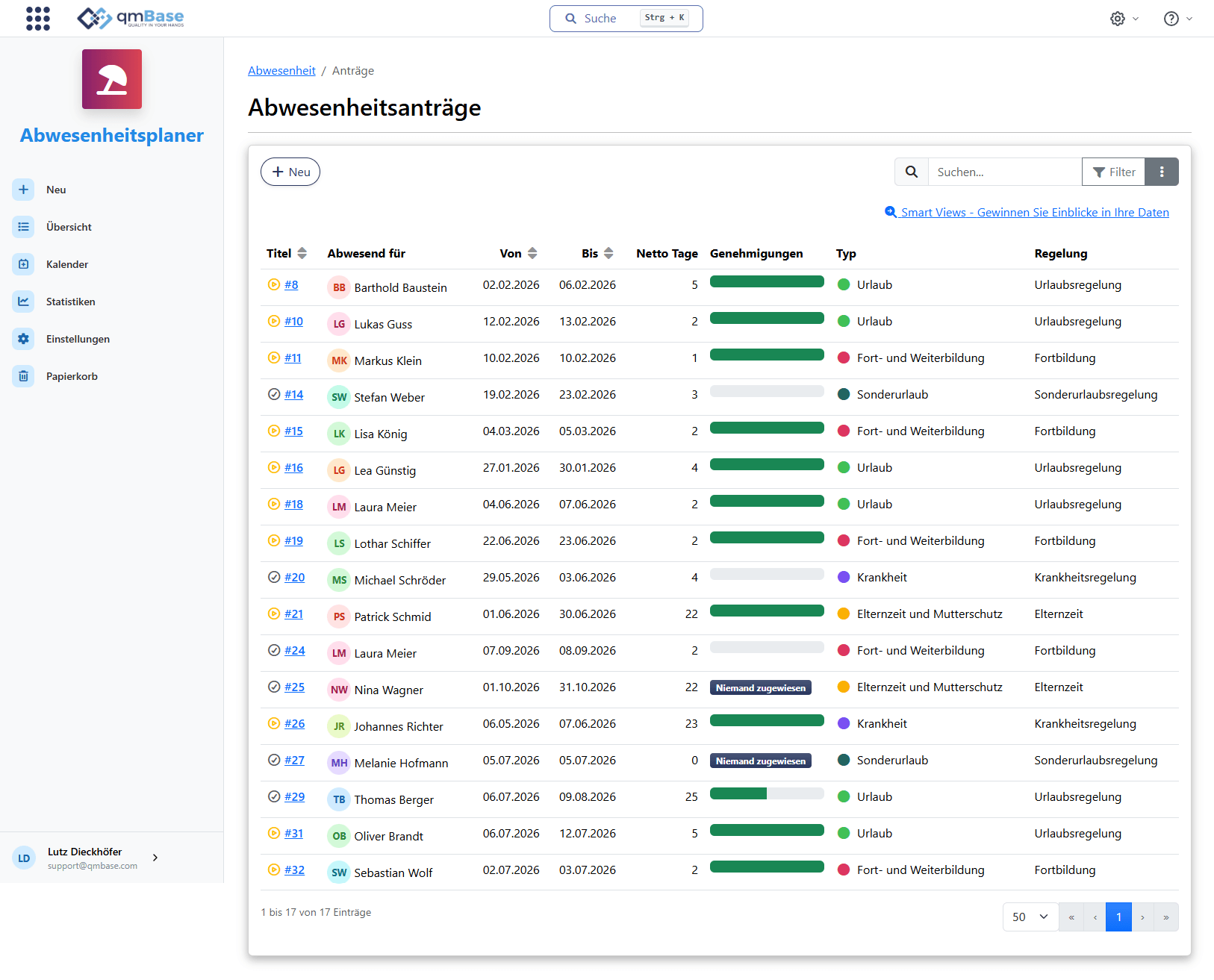
Employees submit their request directly in qmBase. Available days, substitutes and approvers remain visible on the request, so everyone involved can track the status.
Request
Submit vacation digitally
Capture absence type, period and substitute directly in the request.
Check
See available days
Vacation balance and remaining days stay transparent while the request is created.
Approve
Track approval status
Open, approved, rejected or withdrawn remains traceable at all times.
Cover
Include substitutes automatically
Defined substitutes are included directly in the workflow.
From request to approval
After submission, approvers and substitutes are notified automatically. The request remains open until the responsible people have decided. Afterwards, the absence is visible in the calendar.
The request is not stuck in a single message. Responsible people, status and decision are visible directly on the request.
Approvers, substitutes and applicants are included automatically, so nobody has to ask manually for the current status.
Approvers, substitutes and applicants are visible directly on the request. Responsibilities remain traceable.
Approval process
From request to visible absence
Team availability
Identify early when several employees are absent during the same period. Cover can be planned in time and bottlenecks can be avoided before they affect daily work.
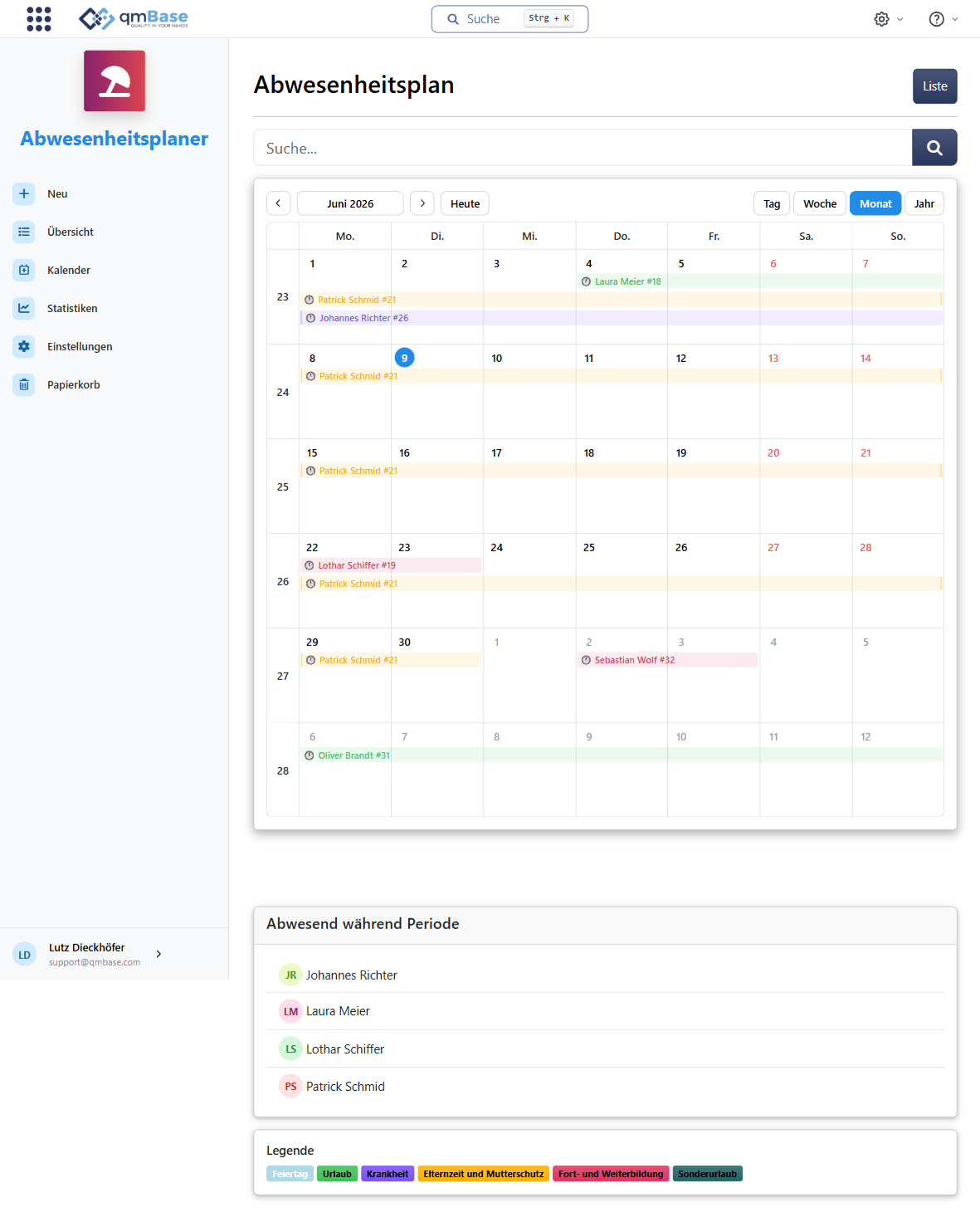
Multiple absences in the same period become visible immediately in the team calendar.
Teams see early when responsibilities have to be handed over.
Team calendar
Anna Keller
Max Berger
Sophie Neumann
Tobias Schulte
Rules in the background
Employees see a simple request. Absence types, vacation balances, public holidays and company rules are considered in the background without making the request unnecessarily complicated.
Map vacation, sick leave, special leave or company-specific absences in a way that fits your organization.
Remaining vacation, carryovers and available days stay traceable without separate Excel lists.
Public holidays, company shutdowns and vacation rules are considered automatically during request creation.
Digital requests, clear approvals and team availability visible at all times.