Main problem
Version chaos right before the audit
The question is not whether a file exists somewhere. The question is whether everyone has the same valid version at the decisive moment and can prove the approval.

qmBase Document Management
qmBase brings calm to document control: current versions, clear approvals, visible ownership and a QM system that holds together in the audit.
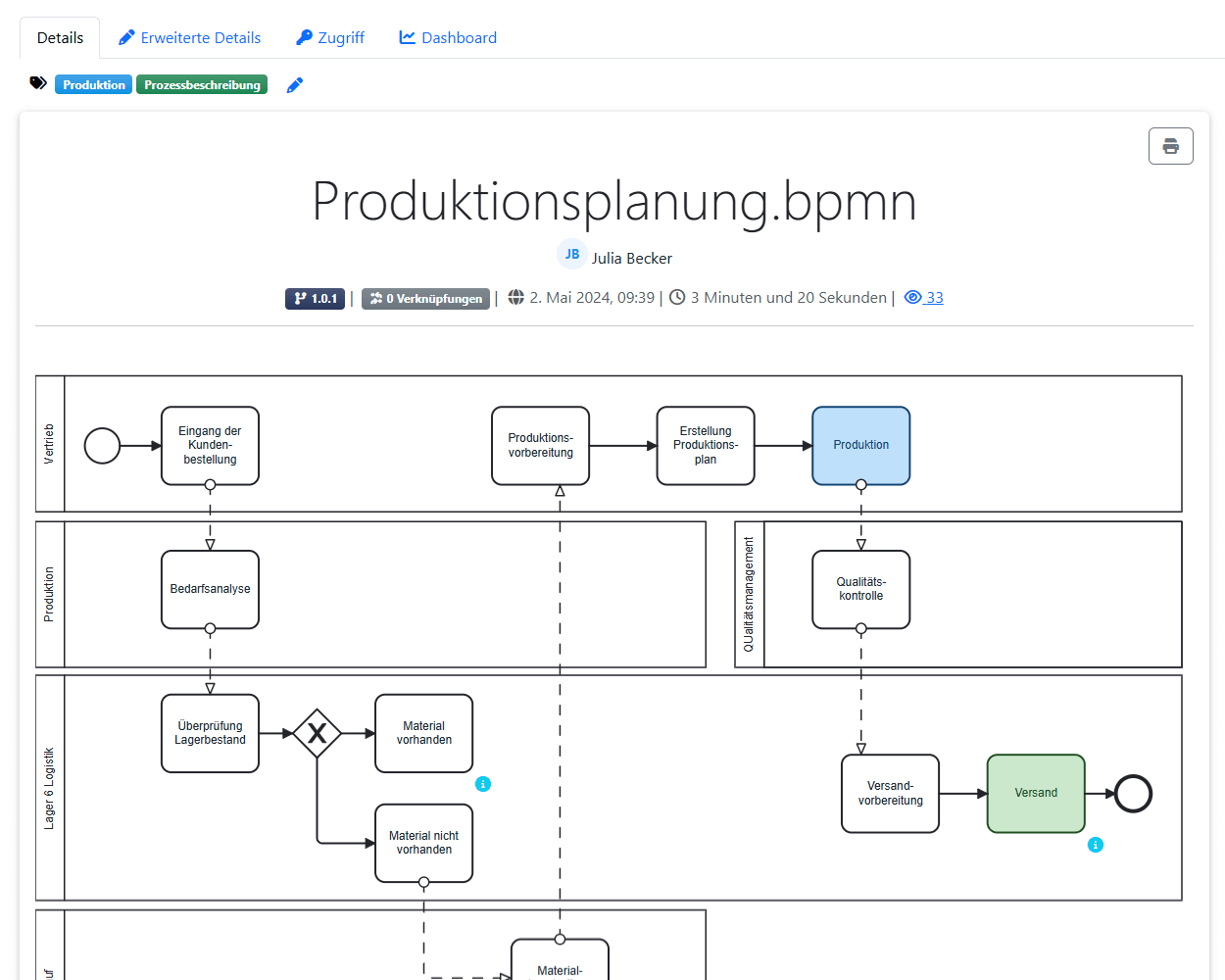
Daily challenge
Document management rarely fails because documents are missing. It fails because people are not fully sure which version is valid, who approved it and whether the change actually reached the right people.
Main problem
The question is not whether a file exists somewhere. The question is whether everyone has the same valid version at the decisive moment and can prove the approval.
Later, nobody is completely sure what was actually decided.
Changes create follow-up questions instead of clarity.
How the app works
The product view is the central explanation: searching, structuring, editing, approving and tracing happen where the document is embedded in the QM system.
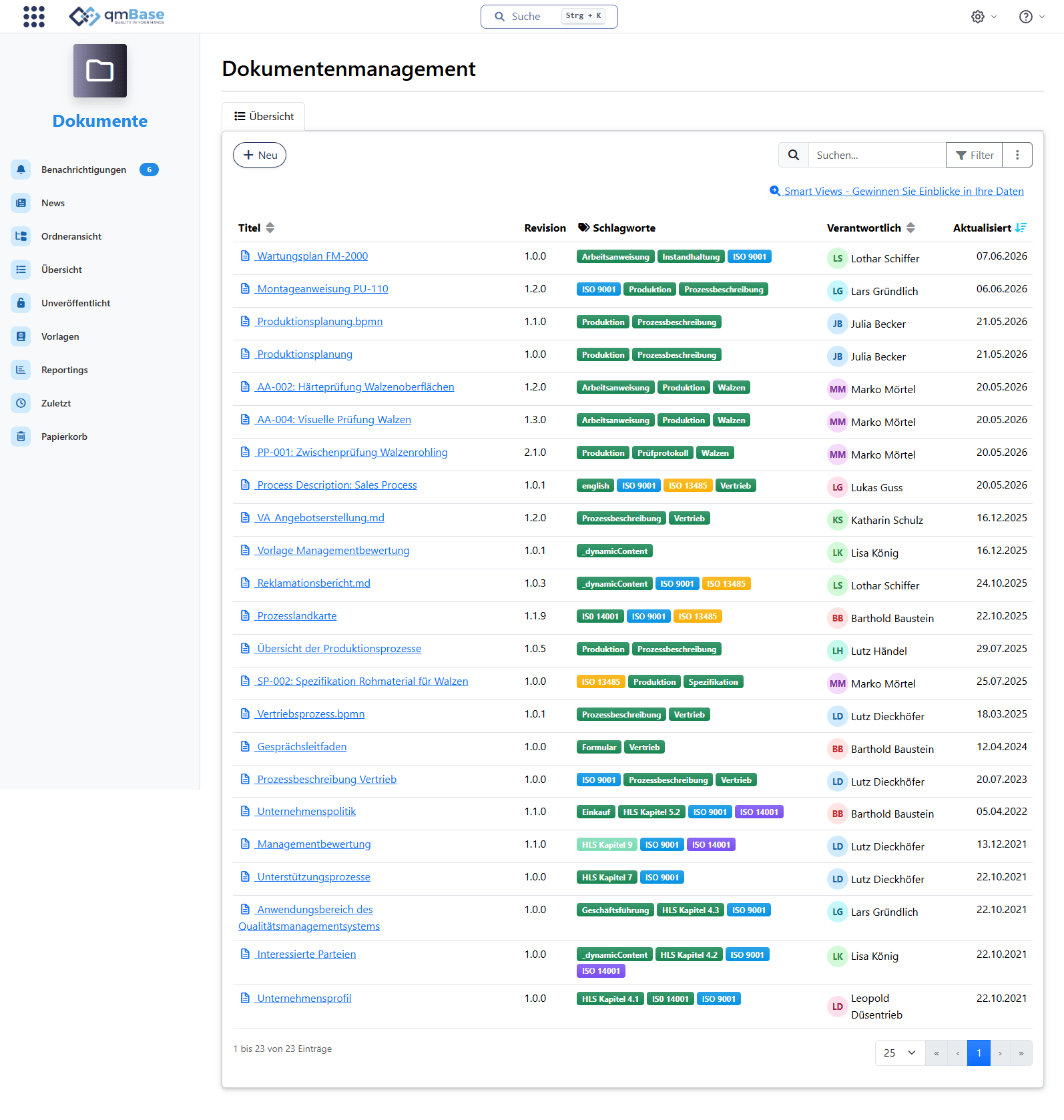
Find
Find documents faster
Find documents faster instead of searching folders.
Structure
Work with tags and status
Structure remains visible even when documents are connected.
Revise
Prepare changes in a controlled way
New versions emerge inside the workflow.
Approve
Document approvals
Responsibility and decisions remain visible.
Prove
Keep changes traceable
History and audit trail are created along the way.
Connect
Link documents with audits and actions
Documents remain part of the QM system.
Not just a document, part of a system
Documents exist in the context of the company and provide context for further information. In qmBase, a document is not just a file in a folder. It is always connected with related information.
Customer context, product, risk, audit and training remain visible on the document instead of being collected shortly before the audit.
Teams find documents through the context they actually work in.
Document

qmBase Story 09
"The current version is somewhere on the drive."
"Which drive?"
"That is exactly the question."
Less folder searching. More clarity.
Structure instead of folders
qmBase organizes different document types in one place and makes them easy to find again through their professional context.
Text, BPMN, Word, Markdown and PDF organized centrally.
Custom templates create consistent documentation.
Content-based classification makes documents visible where teams look for them.
Document structure
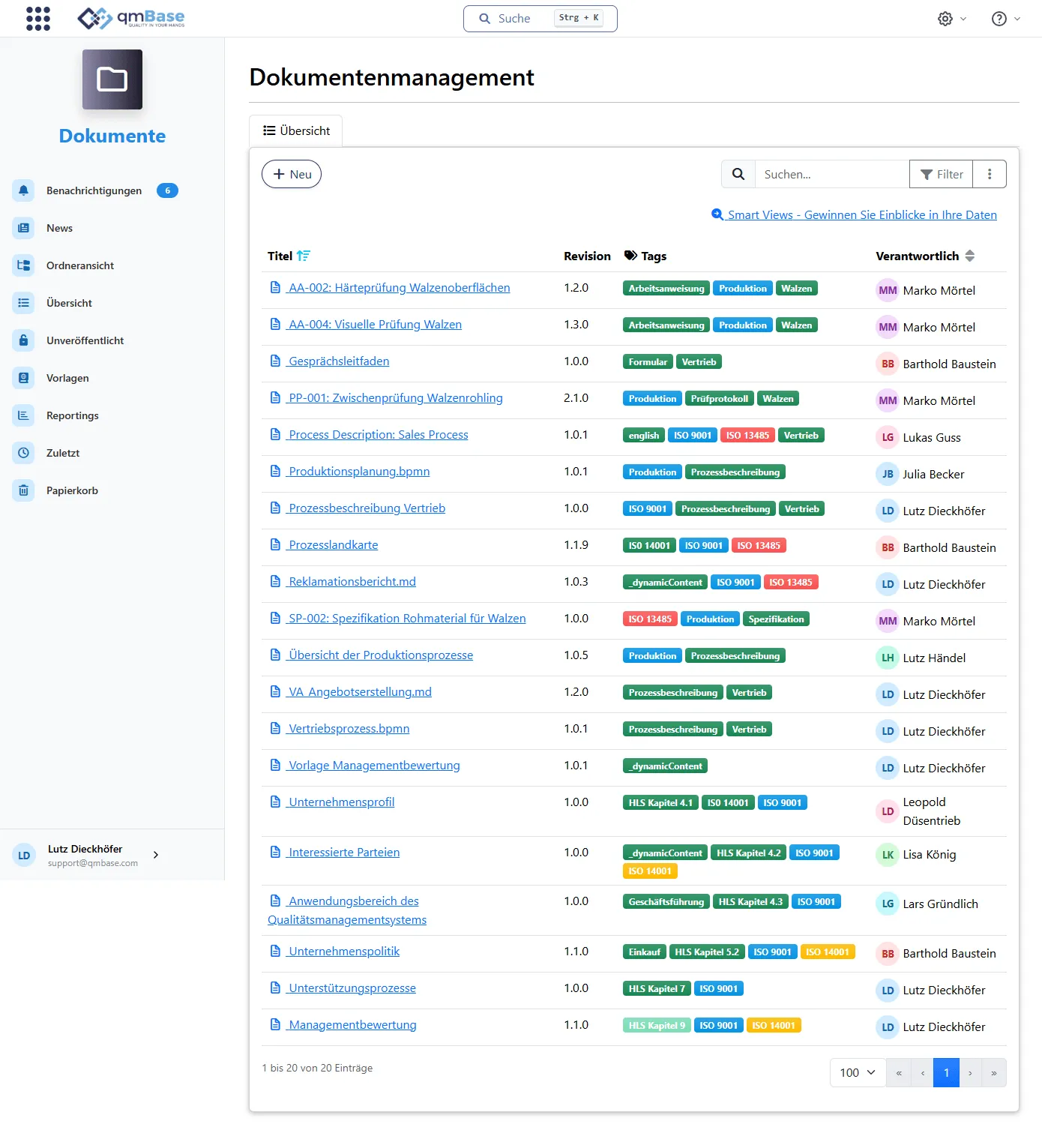
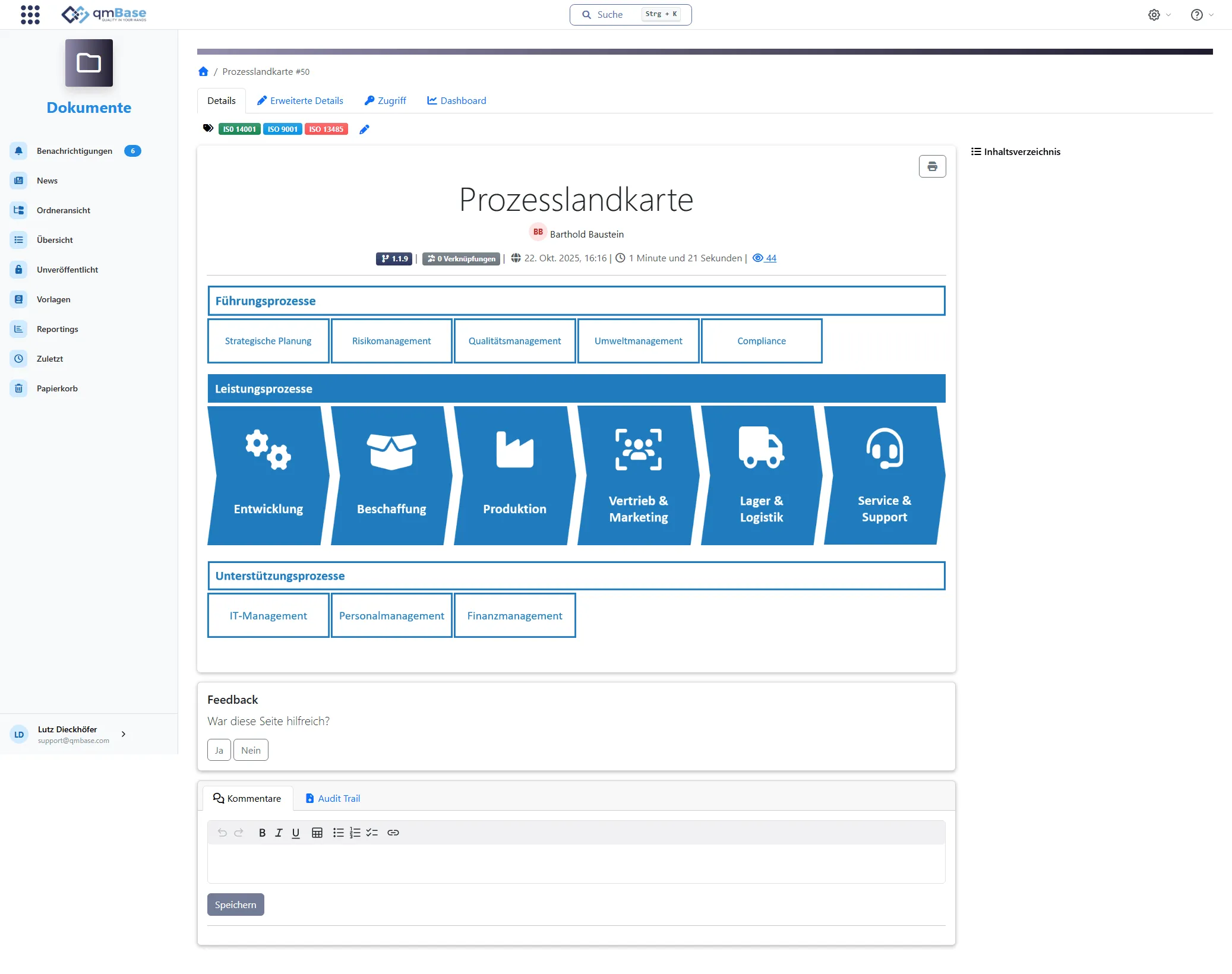
Central document view
Filtered and structured the way you need it.
Tags connect content
Tags connect documents with departments, ISO clauses and more.
Process map as orientation
This entry point helps everyone find what they need.
Approval and versioning
Changes must not disappear into email inboxes. qmBase guides the new version into a controlled, valid instruction and ensures that the right people work with it.
Clear ownership and approvals turn a change into a valid instruction.
After publication, affected people are informed automatically and work with the valid version.
Status change
A draft becomes a binding instruction
Incoming goods inspection plan
Status
DraftOwner
M. Schneider
Changed on
May 2, 2024, 09:12
Approved by
A. Vogt - May 2, 2024 T. Becker - May 2, 2024
Published on
May 2, 2024, 10:28
Published on
May 2, 2024, 10:28
Notified
automatically
Acknowledged
22 / 24
Evidence instead of assumptions
In an audit, it is not enough that a document exists. What matters is whether you can see which instruction was valid, who made the decision and which evidence emerged from the working process.
The version comparison shows which content was added, removed or adjusted between two versions.
Which version was valid, what changed and which steps were documented: the answer stays with the document.
Traceability
Content
Version comparison: changes remain visible line by line.
Confident in the audit
“qmBase has made our quality management much more efficient and transparent. Central document management makes audit preparation and execution significantly easier.”
Elena Herzenberg-Ulrich
Management·Elemaster Germany GmbH
See in a demo how qmBase turns documents, approvals, changes and evidence into a clearly connected QM system.