Main problem
Relationships remain hidden
Information about a product is spread across claims, actions, documents and other QMS records. This makes it difficult to see which products are affected and which information belongs together.

Product management in qmBase
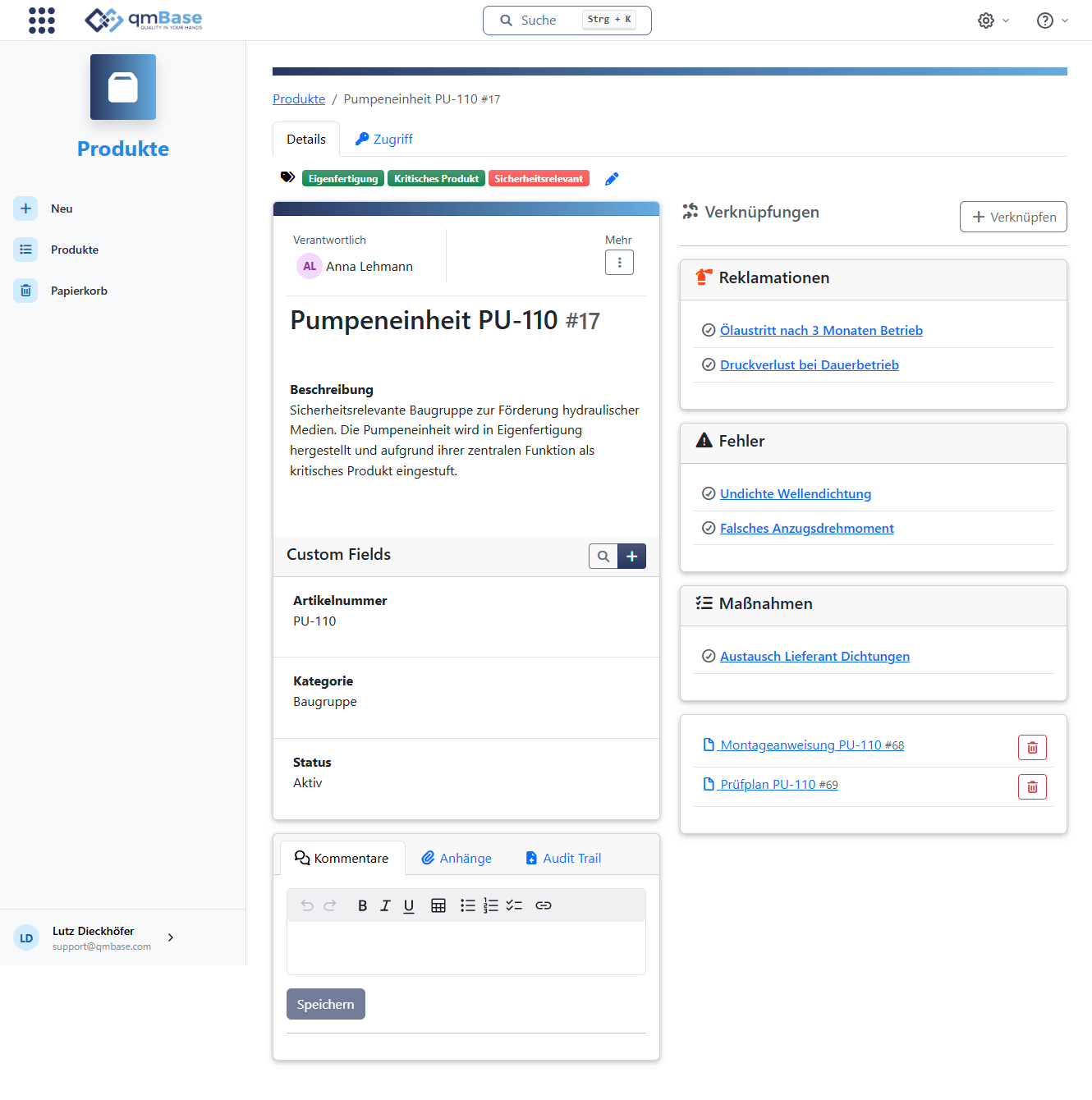
Link products with claims, errors, actions, documents, customers and suppliers. Relationships, patterns and the need for action become visible faster.
The problem
Claims, documents, actions and supplier information are created in many places and are often reviewed separately. Without the product as a shared reference point, relationships remain hidden.
Main problem
Information about a product is spread across claims, actions, documents and other QMS records. This makes it difficult to see which products are affected and which information belongs together.
When claims are not linked cleanly to products, it remains unclear which products are affected most often.
Product improvements and corrections are harder to trace when the reference to the affected product is missing.
How the app works
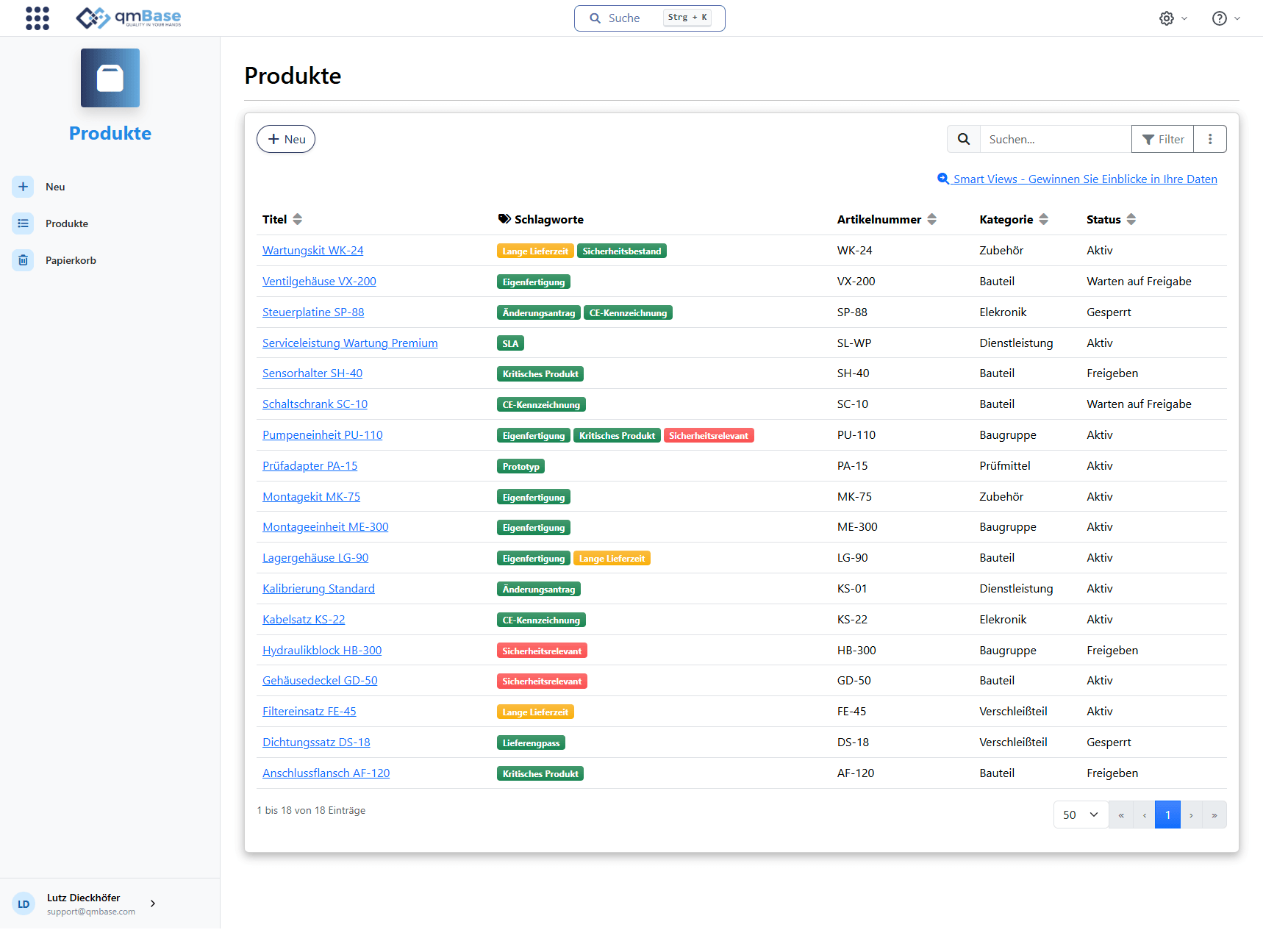
Products are captured centrally and linked to claims, errors, actions and documents. This makes it easy to see which information belongs to a product and which products are affected.
Capture
Capture products centrally
Structure products and services with article numbers, categories, status and tags.
Connect
Link claims, errors, actions and documents
Use product data directly where quality information is created.
Identify
Identify affected products faster
See which products are repeatedly affected by claims or errors.
Trace
Trace product improvements
Understand which actions improved or changed a product.
More than a product catalog
Quality management information becomes much more useful when it is clear which product it refers to. A claim is then not just an isolated case, but a signal for a potential product issue.
Claims, errors and actions do not remain isolated. They can be reviewed together through the affected product.
When claims, errors and actions meet at the product, patterns and possible causes become visible.
Product
Typical use cases
Product context helps review claims, errors, actions and documents in the right context.
Identify which products are repeatedly affected by customer, supplier or internal claims.
Review error reports by product to understand clusters, recurring failure patterns and possible causes.
Track which corrections, optimizations or internal improvements are connected to a product.
Find specifications, inspection plans, approvals and further evidence in the right product context.
Honest positioning
The products app turns products into the reference point for claims, errors, actions and documents. Product-related information remains traceable and easy to analyze in quality management.
Not the focus
The value
Connect products with claims, errors, actions and documents. Patterns, causes and the need for action become visible faster.