Main problem
Tasks, positions and qualifications are disconnected
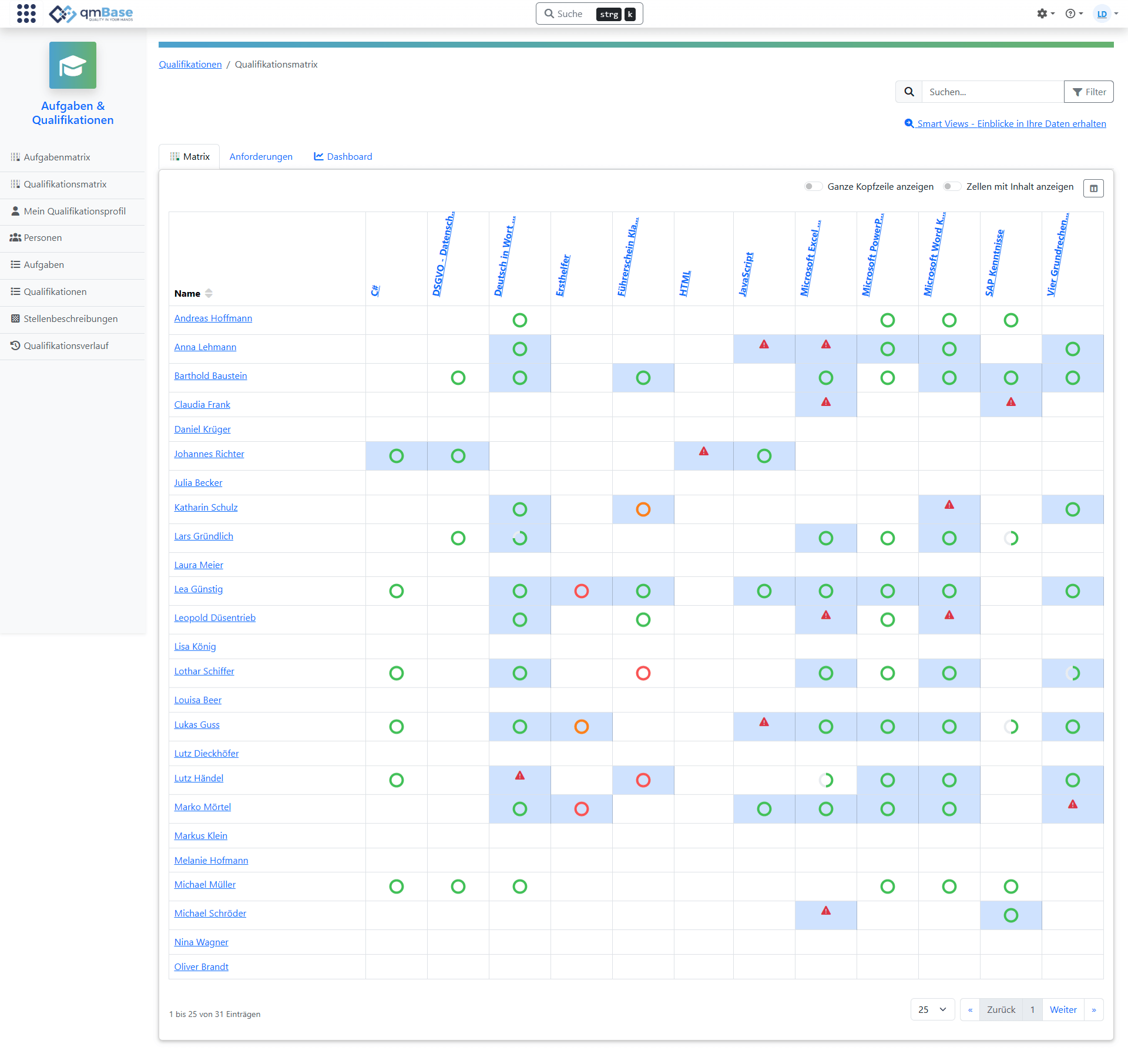
Positions live in the org chart, tasks in job descriptions and qualifications in training lists. This makes it hard to see which requirements actually belong to a position.

Training & qualification management
Connect positions, tasks and qualifications and automatically identify who needs training before evidence is missing or qualifications expire.
The challenge
Qualifications only help when it is clear which task they come from and which position requires them. This connection is missing in many Excel lists and training folders.
Main problem
Positions live in the org chart, tasks in job descriptions and qualifications in training lists. This makes it hard to see which requirements actually belong to a position.
Often it only becomes visible shortly before an audit that a required qualification is missing, evidence is expiring or a task can no longer be performed in line with requirements.
Qualifications sit in Excel, while the related PDFs are stored in personnel folders, emails or file shares. During the audit, the search for the right evidence begins.
Qualification profile
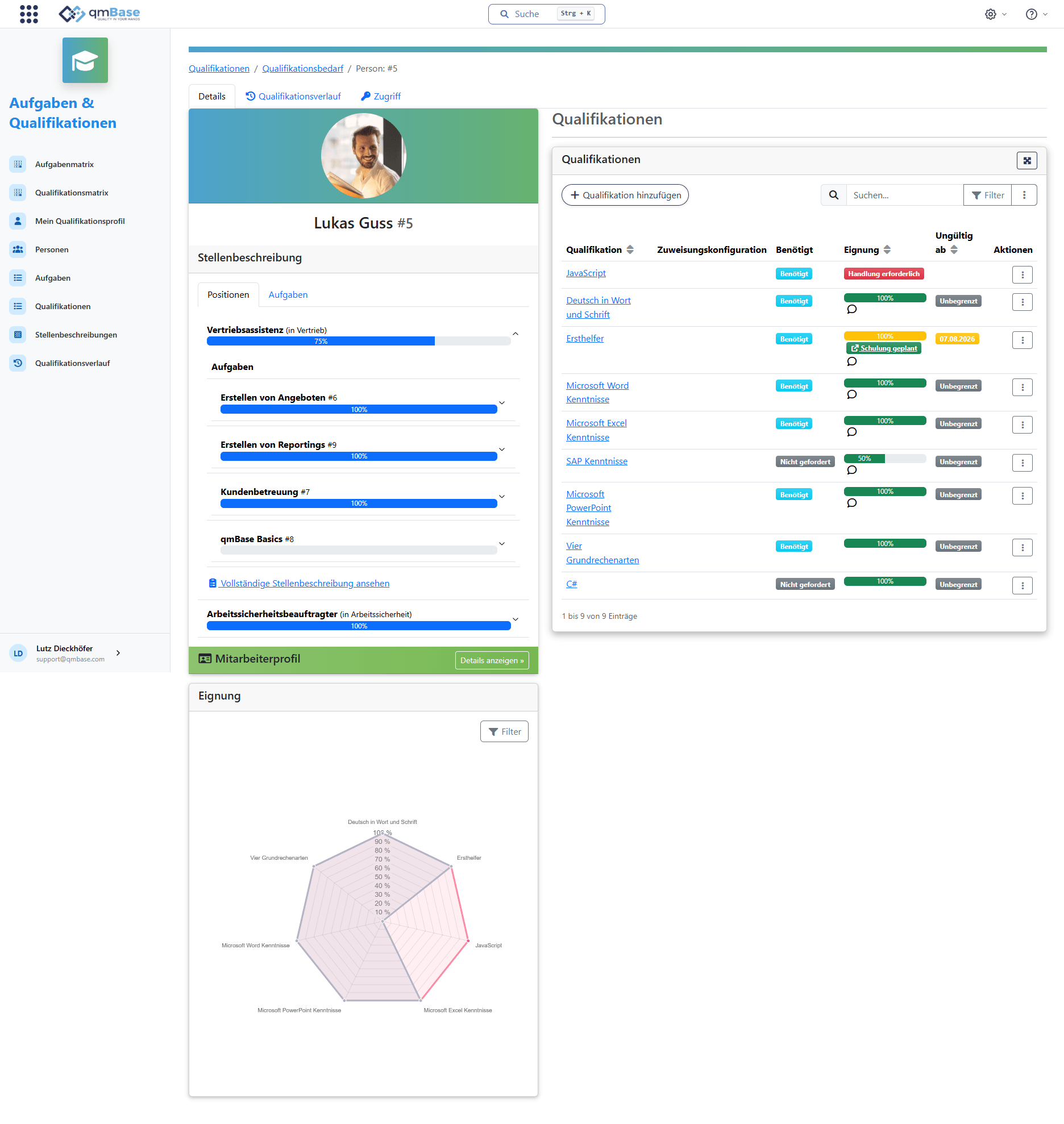
In the employee profile, you can see which qualifications are in place, which requirements are still open and which evidence belongs to that person.
Employees
See qualification status
Employees and qualification status in one overview
Requirements
Define requirements
Set qualification requirements for positions and tasks
Training need
Identify gaps
Recognize missing qualifications and training needs
Evidence
Find certificates faster
Store certificates and evidence directly with the qualification
Connected instead of isolated
Positions come from the employee app. In Training & Qualifications, tasks are assigned to them. For each task, qmBase defines which qualifications are required.
Positions and tasks are not the main benefit by themselves. They provide the basis for deriving qualifications cleanly and traceably.
During audits, it is traceable why a qualification is required: it belongs to a task, and that task belongs to a position.
Requirement

qmBase Story 11
"Well solved. You do not see that often."
Good QM is not recognized by the certificate.
Derive requirements
Tasks and qualifications turn position descriptions into complete requirement profiles. This creates the basis for automatically identifying training needs.
Tasks are the basis for qualification requirements. They show what employees do in their position and complete the position into a job description.
Qualifications are defined for each task and complete the position into a full requirement profile.
Requirement profile successfully defined
Position
Machine operator
Task
Set up and operate machine
Required qualifications
Task
Follow and document inspection plan
Required qualifications
Automatically compare requirements
The requirement profile of a position is compared with the employee's existing qualifications. This shows which evidence is valid, which qualifications are missing and where training is needed.
The position's requirement profile is automatically compared with the employee's qualifications.
Missing or expiring qualifications become visible directly.
Employee
Lena Gray
Position: Machine operator
fulfilled
Machine operation
fulfilled
Occupational safety
missing
Inspection plan training
Conduct training
When multiple employees have the same training need, the training can be planned together. After completion, the corresponding qualification is automatically stored for all participants.
Training needs do not have to be handled individually for every employee.
After training, the qualification including evidence becomes visible in the employee profile.
Training
Inspection plan training
Qualification for machine operators
Participant list by qualification need
4 employees with the same qualification gap
Identify early which qualifications are missing, which evidence is expiring and where training needs emerge.